V1.35 What's New
Dear users, V1.35 has just landed! 🚀
This time we focused on making chats smarter, meetings quieter, and your information safer. You can try the new features on your laptop 💻 or mobile 📱 right away.
❶ Image & File Translation 🌐
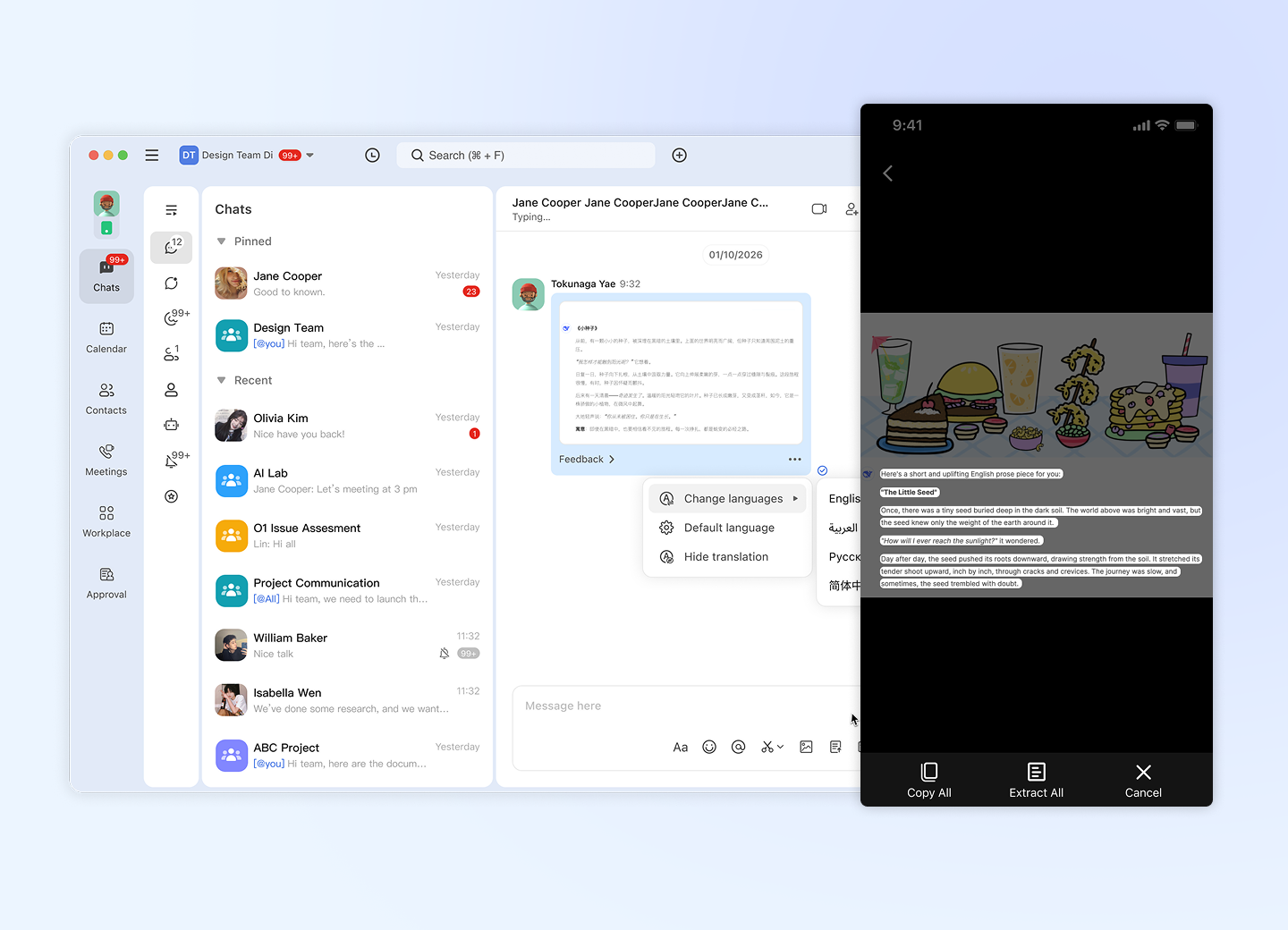 Images and files in another language? Read them right where they are.
- AI add-on features
- Images in the chat — translate an image directly in the message list; the translated text shows right on the image
- Images in the viewer — open an image to recognize its text (OCR), then Copy All or Extract All in one tap
- Files in the chat — translate a received file directly in the message list, no download or extra tools needed
- Your language, your choice — change the target language, set a default language, or hide the translation anytime
❷ In-Chat & Member Search 🔍
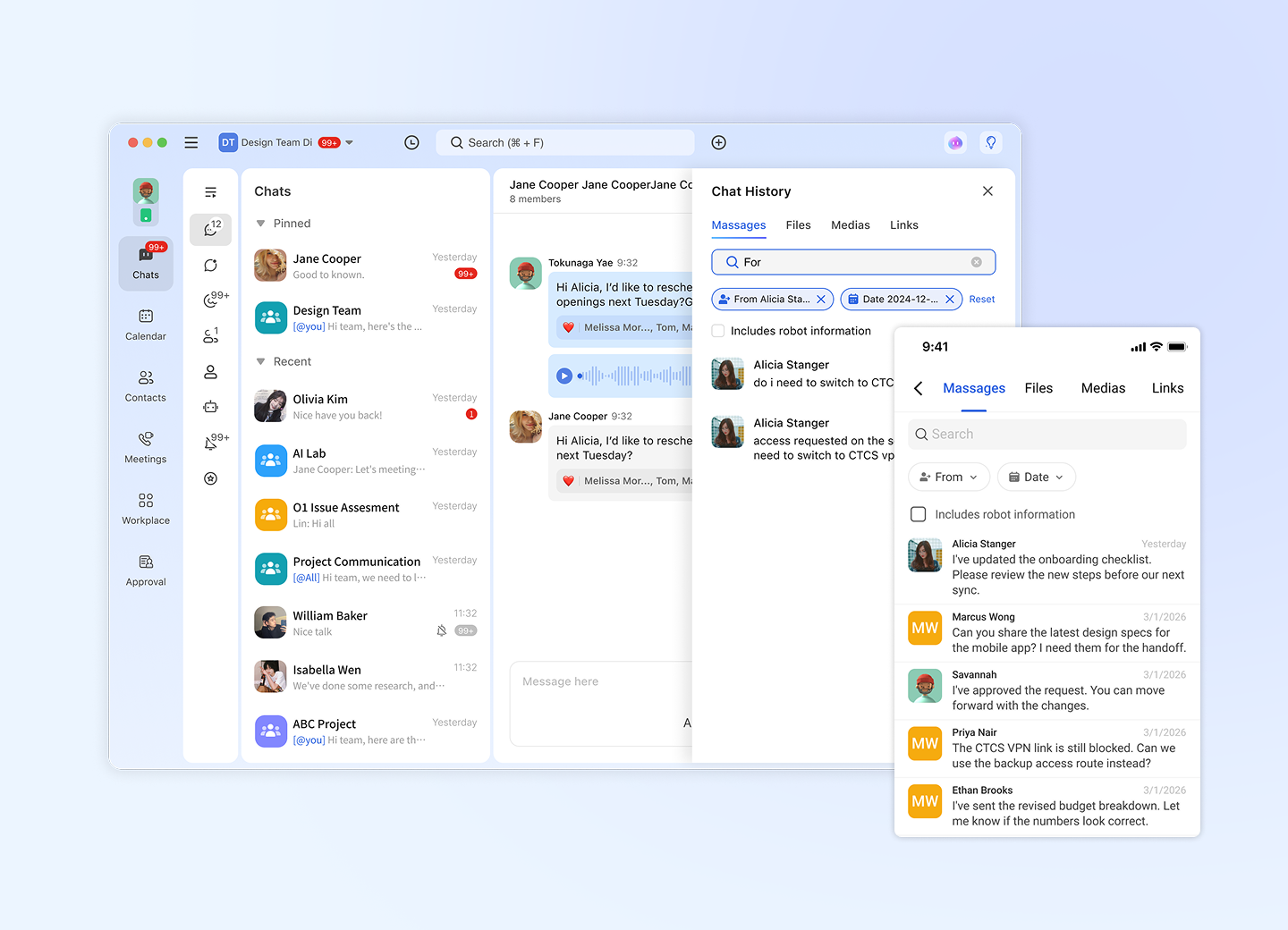 Stop scrolling — find it in seconds.
- Search messages, images, and files within the current chat
- Find any group member by name in large groups
- Jump straight to the message in context
❸ Chat Filters 🗂️
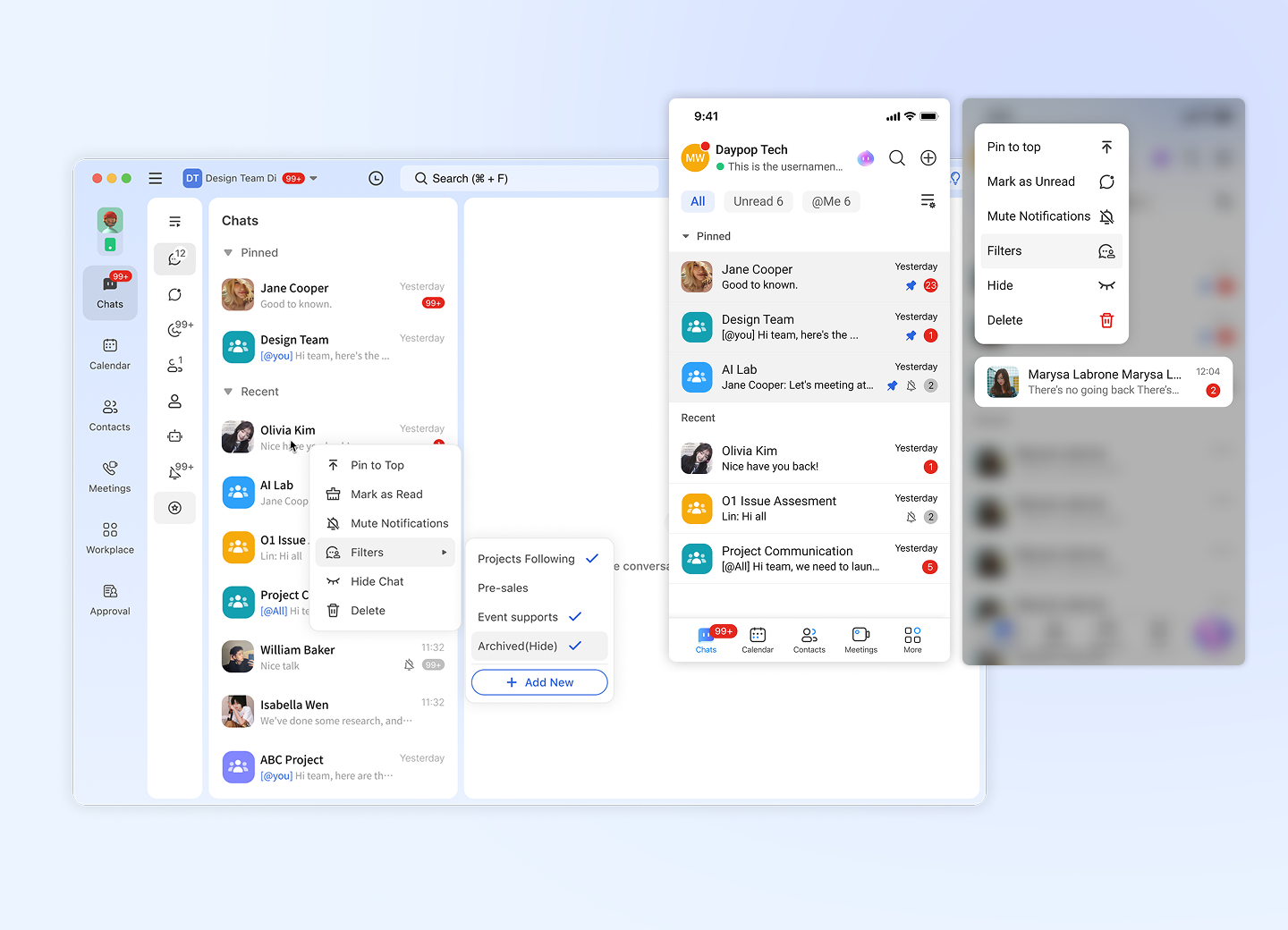 Too many chats? Let filters sort them for you.
- Built-in filters automatically sort chats into @Me and Unread
- Create your own filters to group chats by project, team, or client
- Switch filters in one tap to focus on what matters right now
❹ Interaction & UI Improvements ✨
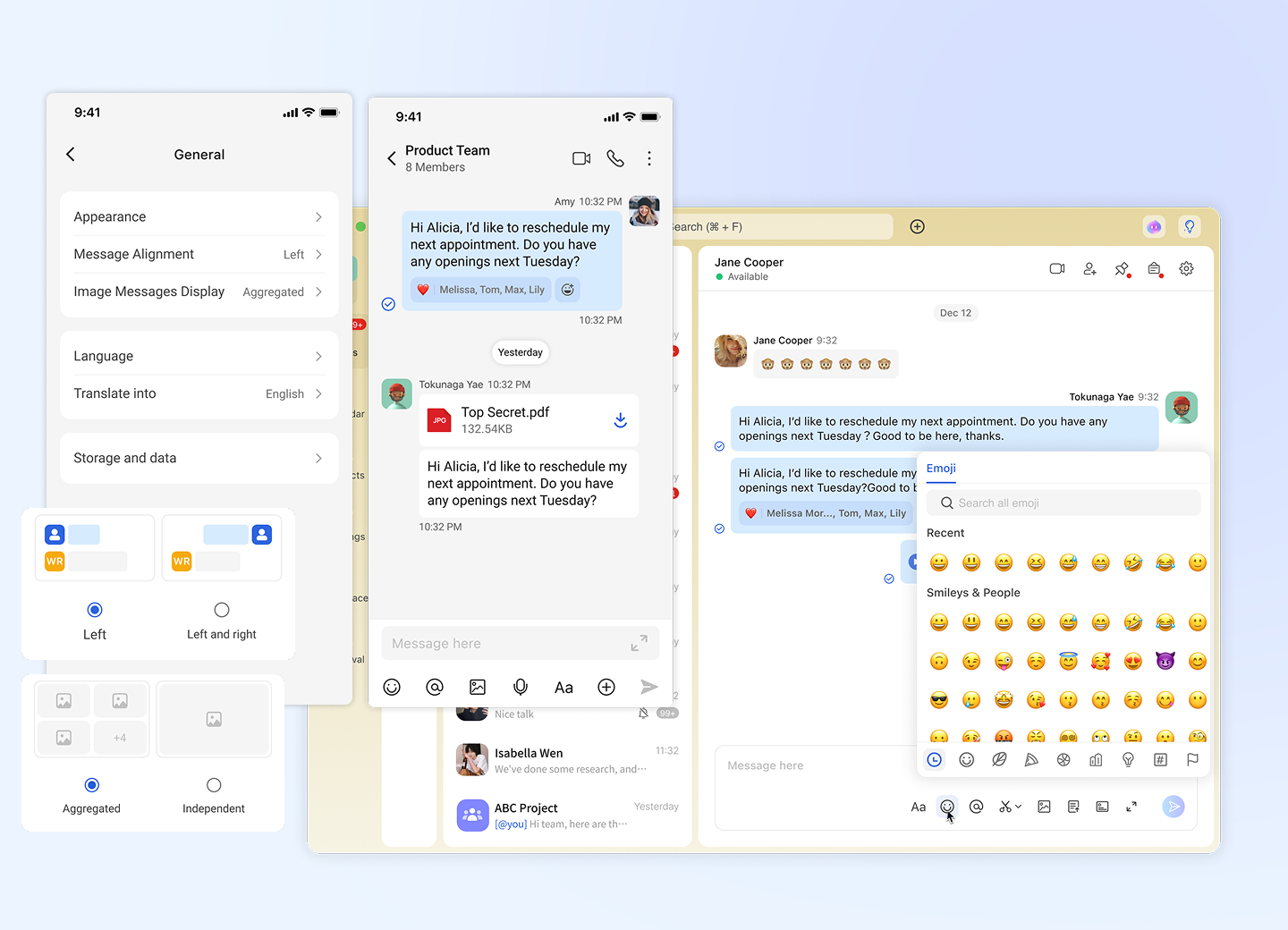 Small touches, smoother everyday use.
- ↔️ Message alignment setting — choose whether messages are aligned left/right or all on one side
- 🖼️ Image grouping setting — choose whether multiple images sent together are shown as a grouped set or one by one
- 🎨 Refreshed theme color — a cleaner, more modern look across the app
- 😀 Emoji improvements — a better emoji experience for expressing yourself in chats
- 📅 Quick date format switch (mobile) — tap any date divider in a chat to switch how dates are shown; tap again to switch back. The default format returns when you open another chat
Try Now: update to V1.35 and give the new features a spin! 🎉